

Why Information Architecture is the Invisible Blueprint of Web Success
Information architecture in web design is like the blueprint of a building—you don’t see it when the structure is complete, but without it, everything falls apart. A physical blueprint dictates the structural integrity, electrical pathways, and plumbing systems that make a house livable. Similarly, a website’s IA dictates the flow of information, the pathways for users, and the relationships between different pieces of content that make a website usable. It’s the meticulous practice of organizing, structuring, and labeling website content so users can find what they need quickly and intuitively.
Quick Answer for Information Architecture in Web Design:
- What it is: The structural design of how content is organized and labeled on websites, forming the backbone of the user experience.
- Why it matters: It dramatically reduces user frustration, improves the findability of key information, and directly increases conversions.
- Core components: Organization systems, labeling systems, navigation systems, and search systems.
- Key benefit: Creates intuitive user experiences that feel effortless to steer, guiding potential clients toward their goals.
Think about the last time you visited a website and couldn’t find what you were looking for. Maybe you clicked through multiple pages, used the search function three times, and still left empty-handed. That mounting frustration? It’s almost always the result of poor information architecture.
When users can’t find information easily, they abandon websites within 10-20 seconds. For ADU construction and architecture firms, this isn’t just a lost visitor; it’s a potential six-figure project walking away. A prospective client from San Jose might leave before they ever see your stunning portfolio of local ADU projects or find your guide on the local permitting process. They came looking for expertise and found a maze instead.
Good information architecture solves this problem by creating digital wayfinding—clear, logical paths that guide users to their destination. Much like clear signage in an airport, effective IA helps users orient themselves, understand where they are, and see how to get where they want to go. It organizes content logically, uses familiar, client-centric language, and provides multiple ways to find information.
In our information-heavy world, people suffer from choice overload. A well-designed IA reduces this cognitive load—the mental effort required to use a website. By presenting information clearly and logically, you help users focus their mental energy on what matters most: understanding your firm’s expertise, appreciating your work, and taking the next step to contact you.
This guide will show you how to architect websites that work seamlessly for users while supporting your business goals. You’ll learn the core principles, practical processes, and real-world applications that separate amateur websites from professional digital experiences that build trust and generate leads.
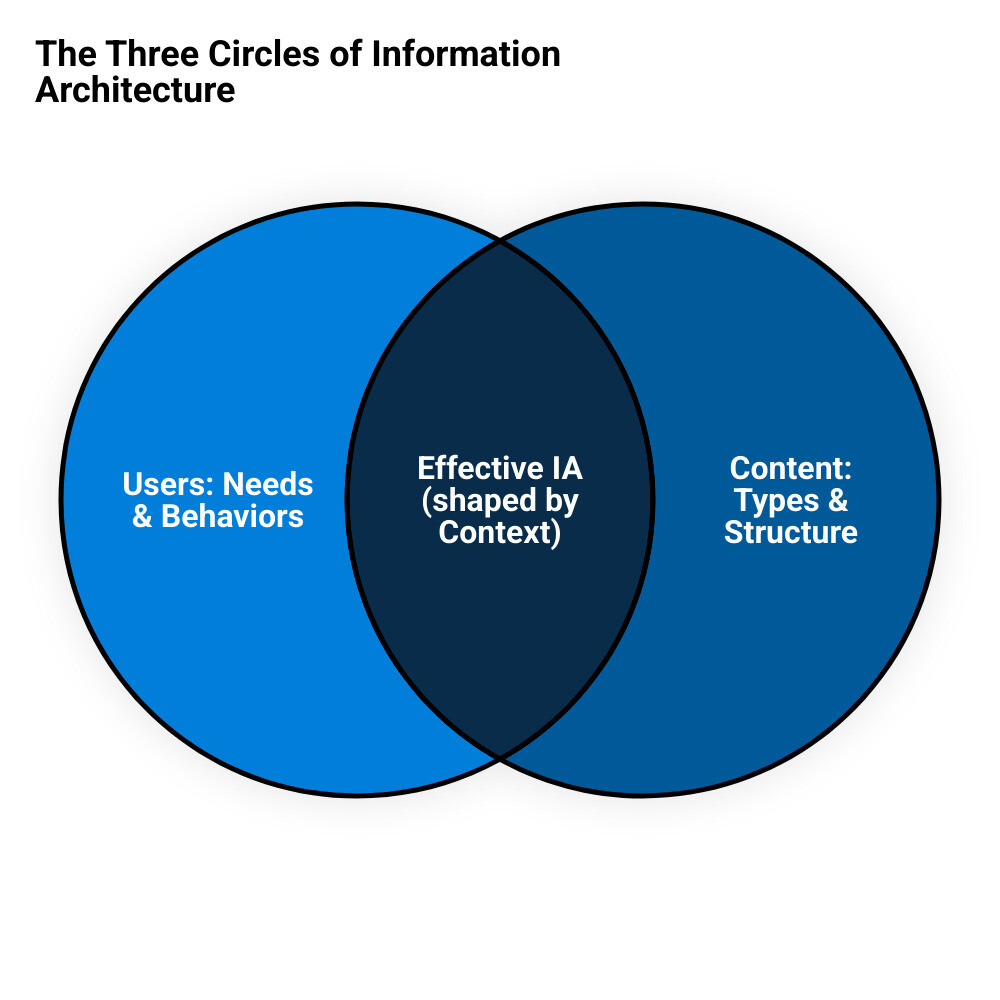
Information architecture in web design word guide:
What is Information Architecture and Why is it the Bedrock of a Great User Experience?
At its core, information architecture in web design is the art and science of organizing, structuring, and labeling content so users can find what they need without frustration. It draws from disciplines like library science, cognitive psychology, and even physical architecture. Think of it as the invisible foundation that makes everything else work smoothly—when done well, users don’t even notice it’s there. The pioneers of the field, Peter Morville and Louis Rosenfeld, literally wrote the book on the subject, often called the “Polar Bear Book” by practitioners.
Information architecture in web design goes far beyond just arranging pages in a logical order. It’s about deeply understanding how people think, how they categorize information in their minds, and how they search for solutions to their problems. When you visit a website and instinctively know where to click to find pricing, view past projects, or read testimonials, that’s good IA at work.
The magic happens when IA reduces the mental effort—or cognitive load—users need to complete their tasks. Instead of hunting through confusing menus or getting lost in endless subcategories, visitors can focus on what really matters: understanding your ADU services, viewing your portfolio, or requesting a consultation.
For architecture and construction firms, this translates directly to business success. When potential clients can easily find your accessory dwelling unit project gallery or quickly understand your design-build process, they’re more likely to stay engaged, build trust in your brand, and ultimately reach out. Poor IA, on the other hand, creates friction and doubt, sending visitors straight to your competitors’ websites.
The benefits ripple through every aspect of your digital presence:
- Well-structured IA increases conversion rates by creating clear, unobstructed paths to calls-to-action like “Schedule a Consultation” or “Download Our Floor Plans.”
- It builds user trust because a professional, intuitive website signals expertise, attention to detail, and reliability—qualities every client wants in an architect or builder.
- It also boosts SEO performance since search engines like Google can better understand, crawl, and index well-organized content, rewarding you with higher rankings.
Here’s a sobering reality: at least 50% of users enter websites through pages other than the homepage. This means your IA needs to be robust enough to guide visitors from any starting point. Whether someone lands on your blog post about ADU regulations in the Bay Area or finds your contact page through a Google search, they should immediately understand where they are, what your firm does, and how to explore further. A well-placed navigation menu and clear breadcrumbs are essential for this.
The cost of neglecting IA can be staggering. Back in 1999, research estimated that poor information management cost employers $5,000 per year per employee in wasted time searching for content or recreating existing materials. While this figure is decades old, the principle remains truer than ever in the digital age: disorganized information costs money by wasting users’ time and losing you valuable leads.
For more specialized guidance on digital marketing strategies, check out our Online Marketing for Architects resource.
IA vs. Other Design Concepts
The design world is full of overlapping terms that can confuse even experienced professionals. Let’s clarify how information architecture in web design relates to other common concepts with concrete examples.
| Concept | Definition | Relationship to IA & Example |
|---|---|---|
| Information Architecture | The structural design of how content is organized and labeled on websites. | The foundational blueprint. Example: Deciding the main site sections will be “Services,” “Portfolio,” “Process,” “About,” and “Contact,” and defining what content belongs in each. |
| Content Architecture | Content design focusing on individual page structure and content delivery. | Built on top of IA’s structural foundation. Example: Designing the “Portfolio” page to have a filterable grid, and structuring each project’s page with a hero image, project summary, photo gallery, and client testimonial. |
| Sitemaps | Visual diagrams showing page hierarchy and relationships. | A key deliverable that represents IA decisions. Example: A flowchart showing the homepage linking to “Services,” which then branches out to “ADU Design,” “Permitting,” and “Construction.” |
| System Architecture | Technical orchestration of databases, servers, and infrastructure. | The technical implementation that supports the IA. Example: Choosing a content management system (CMS) and server setup that can handle high-resolution portfolio images and deliver pages quickly. |
Information Architecture serves as the conceptual blueprint—it’s the strategic thinking about how information should be organized to meet user and business needs. Content Architecture then focuses on how that content is structured and presented on individual pages. Think of IA as deciding where the kitchen goes in a house, while content architecture determines the layout of cabinets, appliances, and countertops within that kitchen.
Sitemaps are simply visual representations of IA decisions. They’re useful planning tools, but they’re just one artifact of the larger IA process. System Architecture handles the technical side, but it should always be in service of the user-focused structure that IA defines.
This distinction matters because many teams mistakenly believe creating a sitemap is the same as doing IA. Without the foundational research into user needs and content relationships, a sitemap is just a set of boxes and lines with no strategic thought behind it.
For content strategy insights specific to architectural firms, explore our guide on Content Marketing for Architects.
The Role of information architecture in web design for SEO
Search engines are essentially sophisticated users trying to understand your website’s content and structure. When your information architecture in web design is clear and logical, it makes their job easier—and that translates directly to better rankings and more organic traffic.
-
Findability: This is the cornerstone of both good IA and strong SEO. When content is properly categorized with a logical URL structure (e.g.,
yourfirm.com/services/adu-design) and labeled with clear headings, search engines can better understand what each page is about. This helps them serve your pages for highly relevant searches, like “ADU architect in Palo Alto.” -
Crawlability: Search engine bots follow links to find and index content. A well-structured navigation system and a clean internal linking strategy act as a roadmap, ensuring they can find all your important pages. Poor IA can leave valuable content buried in a confusing structure, making it effectively invisible to search engines.
-
User Engagement Signals: Search engines like Google pay close attention to how users interact with your site. When visitors can quickly find relevant information, they stay longer (increasing dwell time) and explore more pages (lowering the bounce rate). These positive engagement signals tell search engines that your site provides a high-quality experience, which can significantly boost your rankings.
-
Internal Linking Strategy: Good IA is the foundation of an effective internal linking strategy. By organizing your content into logical groups or “topic clusters” (e.g., a main page about your ADU services linking out to detailed posts on costs, timelines, and regulations), you demonstrate topical authority to search engines. This also distributes ranking power (or “link equity”) throughout your site and keeps visitors engaged by guiding them to related, helpful information.
For ADU-focused firms looking to optimize their online presence, our Accessory Dwelling Unit SEO guide provides targeted strategies for this growing market.